> ## Documentation Index
> Fetch the complete documentation index at: https://docs.eazyowl.com/llms.txt
> Use this file to discover all available pages before exploring further.
# Webhooks (EazyOwl → Merchant)
> The endpoints EazyOwl will call on the Merchant Platform
## Events Webhook
EazyOwl manages subscriptions for you, which means we take care of recurring payments, failures, renewals and other stuff for you. However, you (the Merchant) are the service providers for your customers and you must be aware of events that are generated from your billing side (EazyOwl). Events Webhook is the core of this flow.
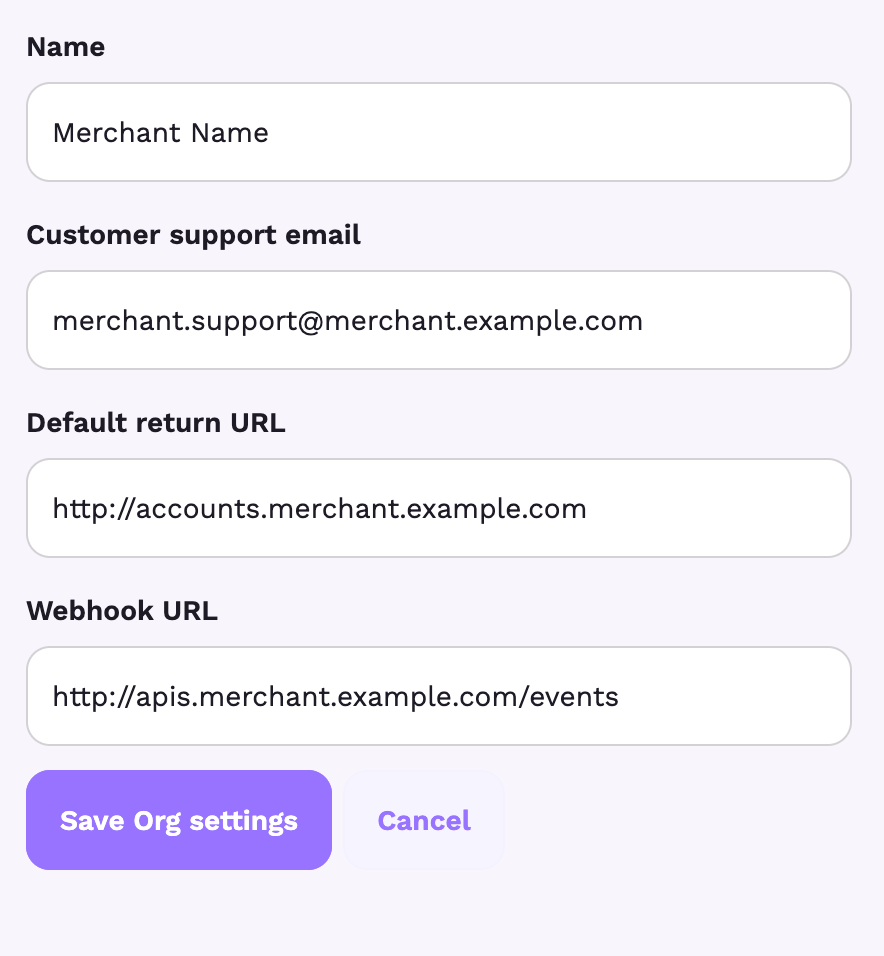
Whenever an event occurs on our end, we will call an endpoint (configured in the org settings int he dashboard) to send you the data related to the event that occurred. Example settings screenshot:
 ### Event Data
The event data is sent as a JSON in the POST body. It looks like this:
```json theme={null}
{
"reason": "subscription_created",
"user_id": "{{externalUserId}}",
"event": "status_change"
}
```
The data explanation is as such:
| Field | Explanation | Valid Values |
| - | - | - |
| event | What caused the webhook | `status_change` |
| user\_id | The customer ID you have supplied for the user on the EazyOwl Platform | A valid Customer ID in our database |
| reason | Any extra reason for this webhook to fire. *Please consider this field extra for now. It might be deprecated or removed in future.* | `subscription_created` |
This documentation is built and hosted on [Mintlify](https://mintlify.com), a developer documentation platform.
### Event Data
The event data is sent as a JSON in the POST body. It looks like this:
```json theme={null}
{
"reason": "subscription_created",
"user_id": "{{externalUserId}}",
"event": "status_change"
}
```
The data explanation is as such:
| Field | Explanation | Valid Values |
| - | - | - |
| event | What caused the webhook | `status_change` |
| user\_id | The customer ID you have supplied for the user on the EazyOwl Platform | A valid Customer ID in our database |
| reason | Any extra reason for this webhook to fire. *Please consider this field extra for now. It might be deprecated or removed in future.* | `subscription_created` |
This documentation is built and hosted on [Mintlify](https://mintlify.com), a developer documentation platform.