> ## Documentation Index
> Fetch the complete documentation index at: https://docs.eazyowl.com/llms.txt
> Use this file to discover all available pages before exploring further.
# API Authentication
> This page talks about how to authenticate API calls
EazyOwl APIs are designed to be called by Merchant Platform servers. Like all APIs that carry sensitive data in response, the calls need to be both encrypted (via HTTPS/SSL) as well as authenticated (using an API key).
To get an API key, use the console. Login to EazyOwl portal. Then on the left hand sidebar, click on the API Keys link.
Then create an API key (Shown as "Secret Key" on the interface; please expect this to change).
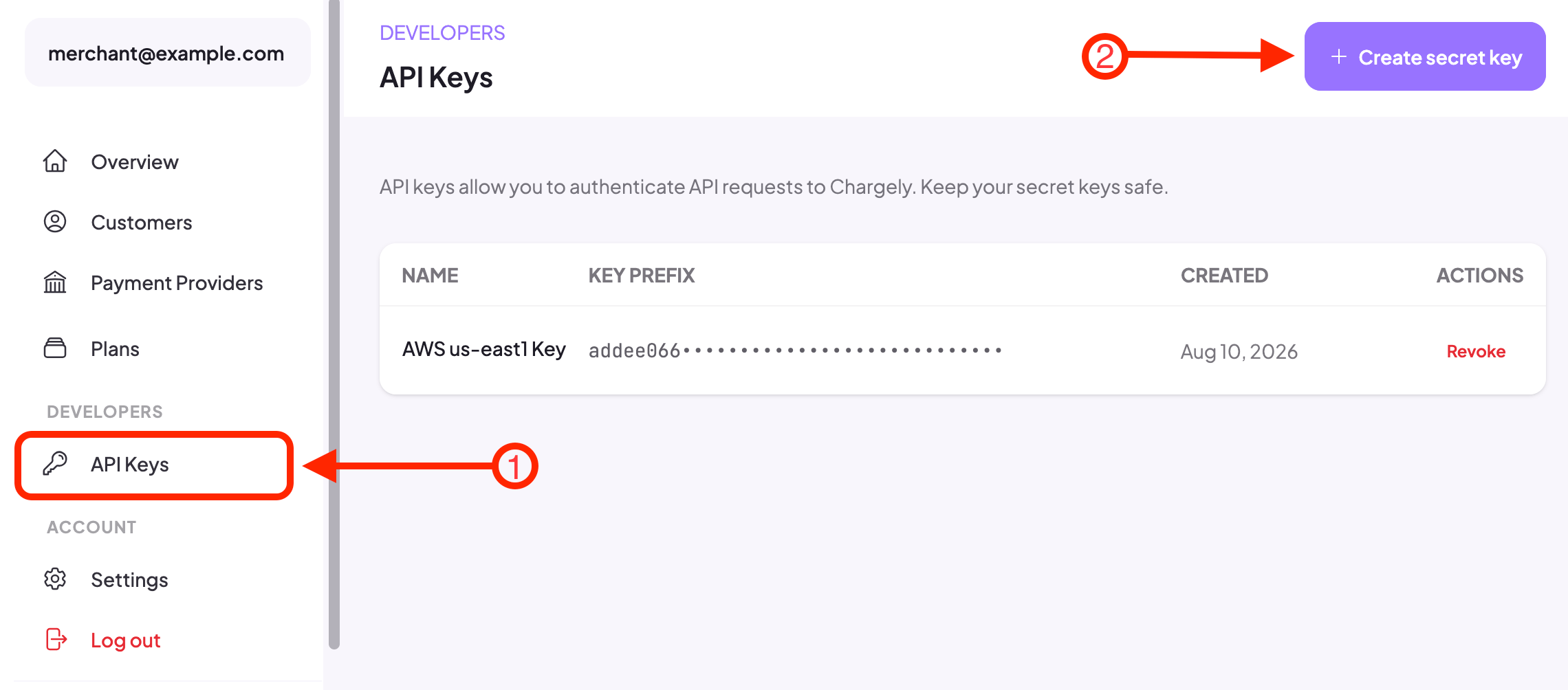 You shall be asked to name your key. Once the key is generated, it will be shown to you. The modal box should look like below.
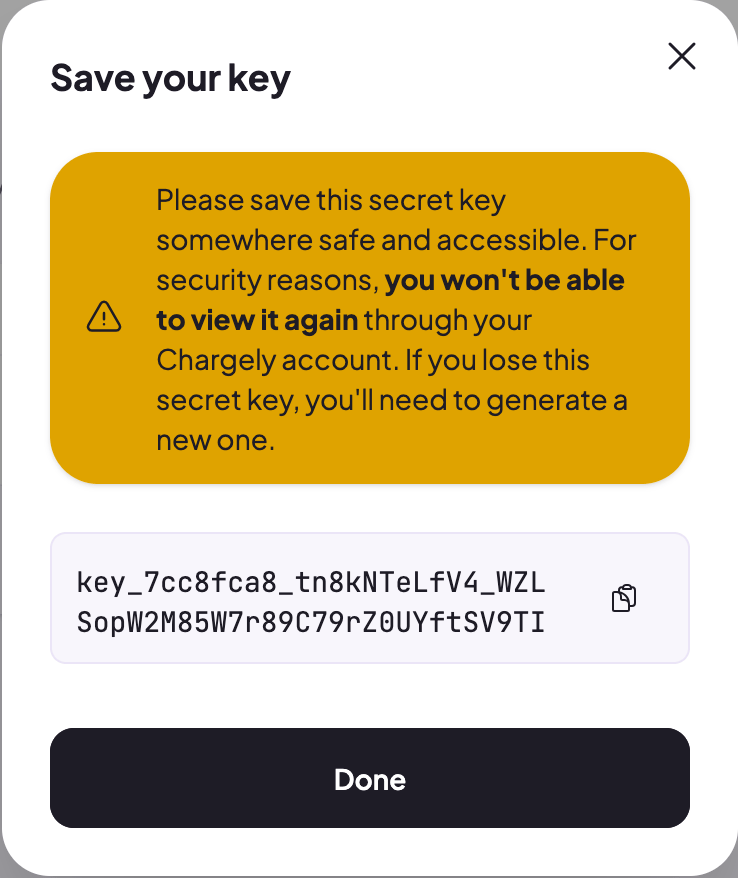 As the box should mention, please make sure to copy the API key and save it with you securely. You will need to use this key in the API calls.
## How to use the API Key
You have to use the API Key (obtained in the step above) in the request headers. The header name is `X-API-Key` and the value is the API Key.
As the box should mention, please make sure to copy the API key and save it with you securely. You will need to use this key in the API calls.
## How to use the API Key
You have to use the API Key (obtained in the step above) in the request headers. The header name is `X-API-Key` and the value is the API Key.